What is Weglot? Weglot is a cloud-based service that helps you quickly roll out a multilingual website without any complicated technical customization. It’s a tool that lets you automatically translate website content, manually edit translations, connect with professional translators, and easily manage all language versions from a single platform.
This article describes what Weglot is, why you need it, and how to use it.
Main features of Weglot
Integrations
Weglot is compatible with over 100 platforms including WordPress, Shopify, Webflow, Squarespace, Wix, and more. Integration takes just a few minutes: you simply connect Weglot to your website via a plugin or code snippet. The full range of integrations can be seen here.
Weglot allows you to quickly roll out a multilingual website on virtually any platform. If CMS isn’t supported, just link in with JS snippet. In essence, the service’s features mean it can be used with almost any site.
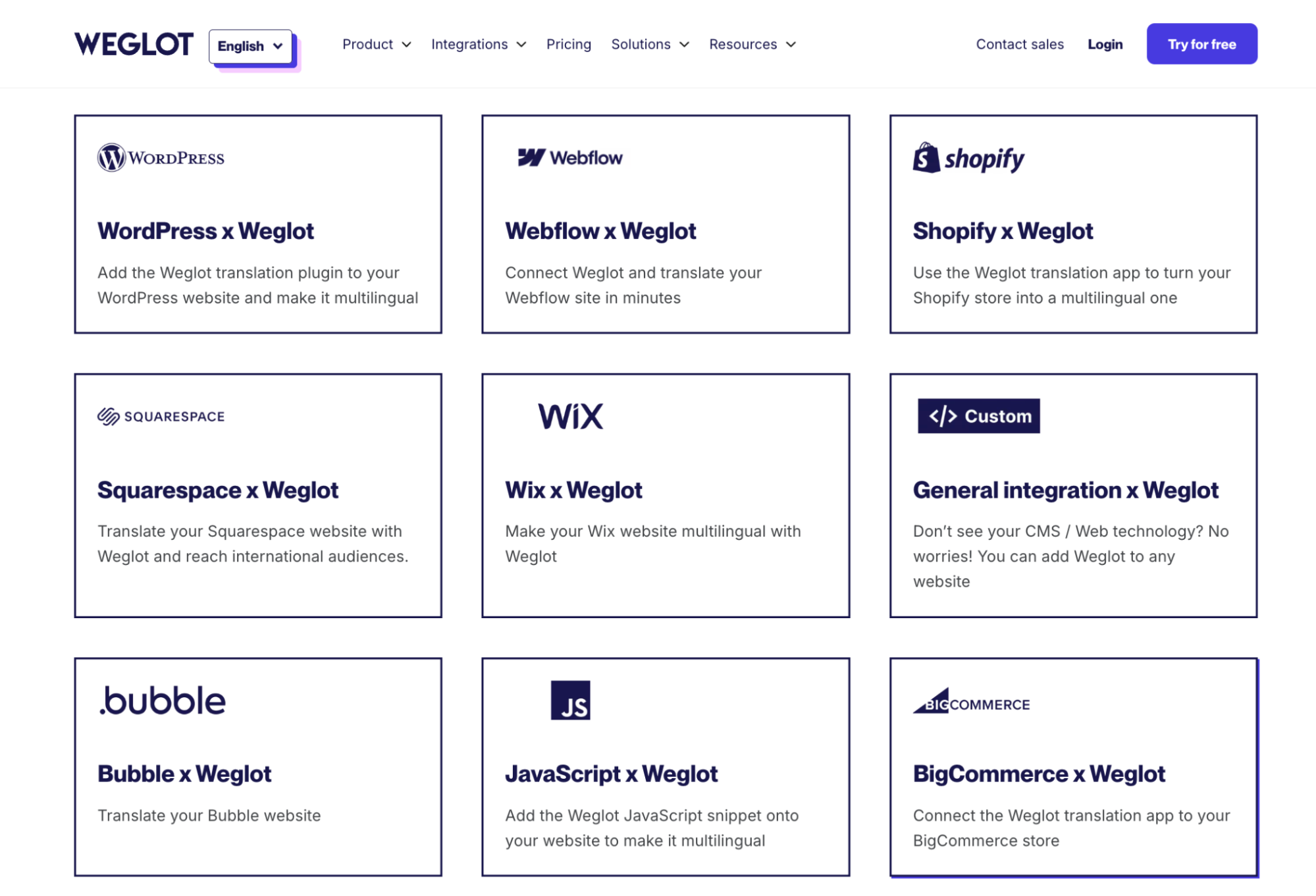
Some compatible integrations
Machine translation
Our service makes use of CAT technologies (DeepL, Google Translate, and Microsoft) to produce an initial translation. This allows you to roll out a website in multiple languages within minutes.
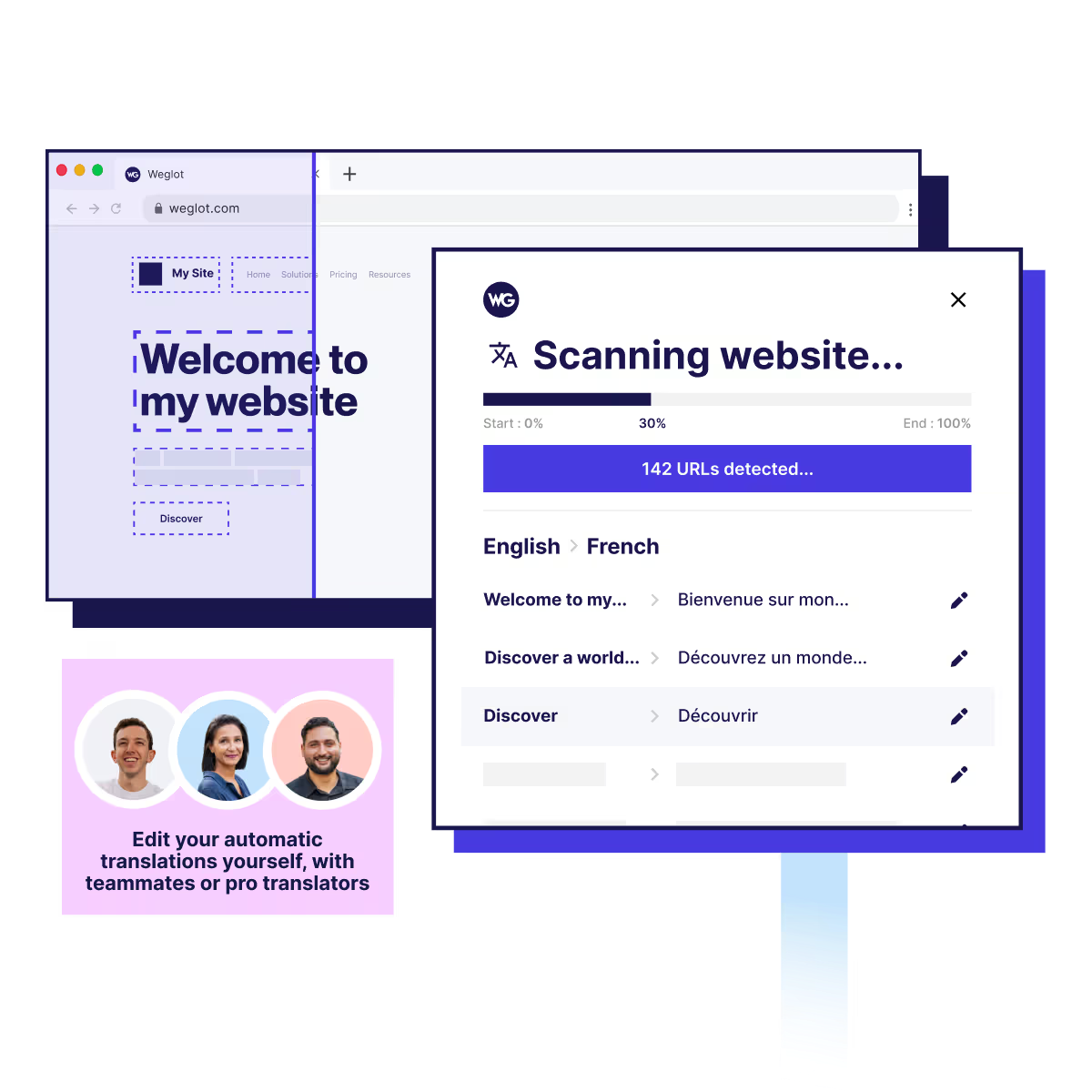
Website translation
The site is translated on the server, with all content—text, menus, tags, etc.—captured and changed automatically.
Following machine translation you have full access to the editor features: you can approve, edit, and compare the source and translated sections via an easy-to-use TMS interface. These features include AI prompts from ChatGPT for multiple potential translations, allowing you to choose the best version of a phrase. Glossaries are provided to keep terminology and branding consistent.
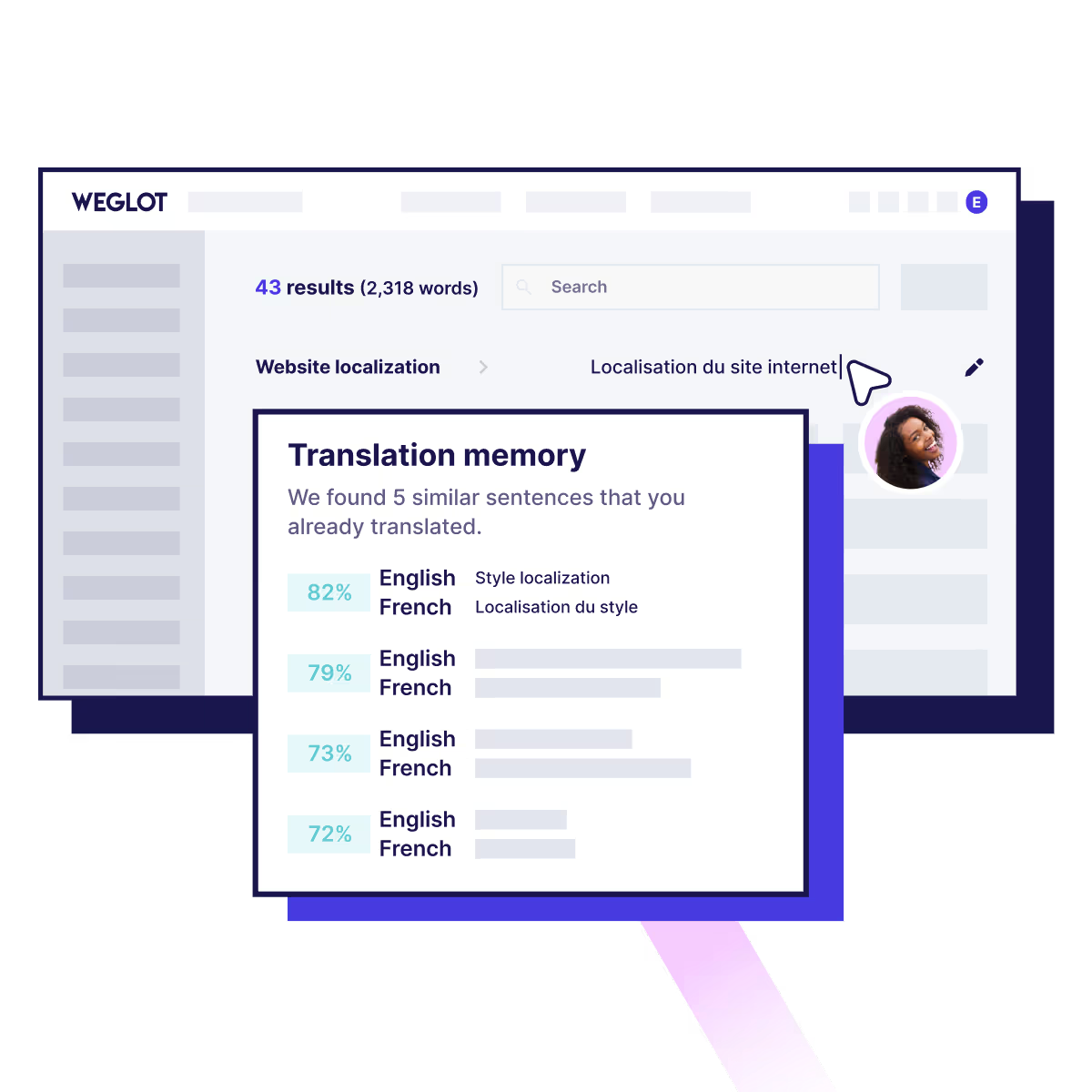
Translation memory
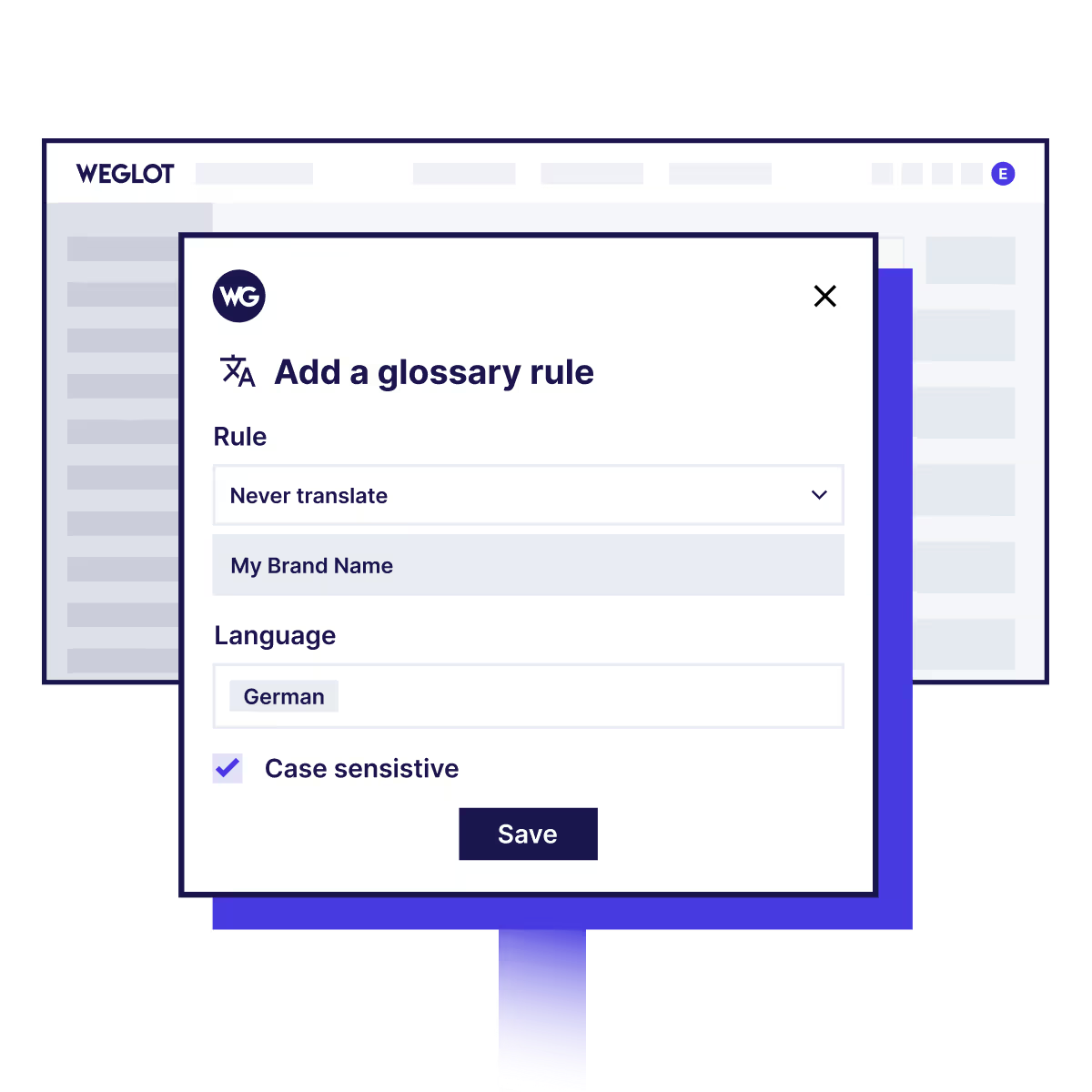
Glossary
Professional translation features
If you need top-quality and accurate content, Weglot offers access to professional translators directly in the interface via the Weglot Dashboard.
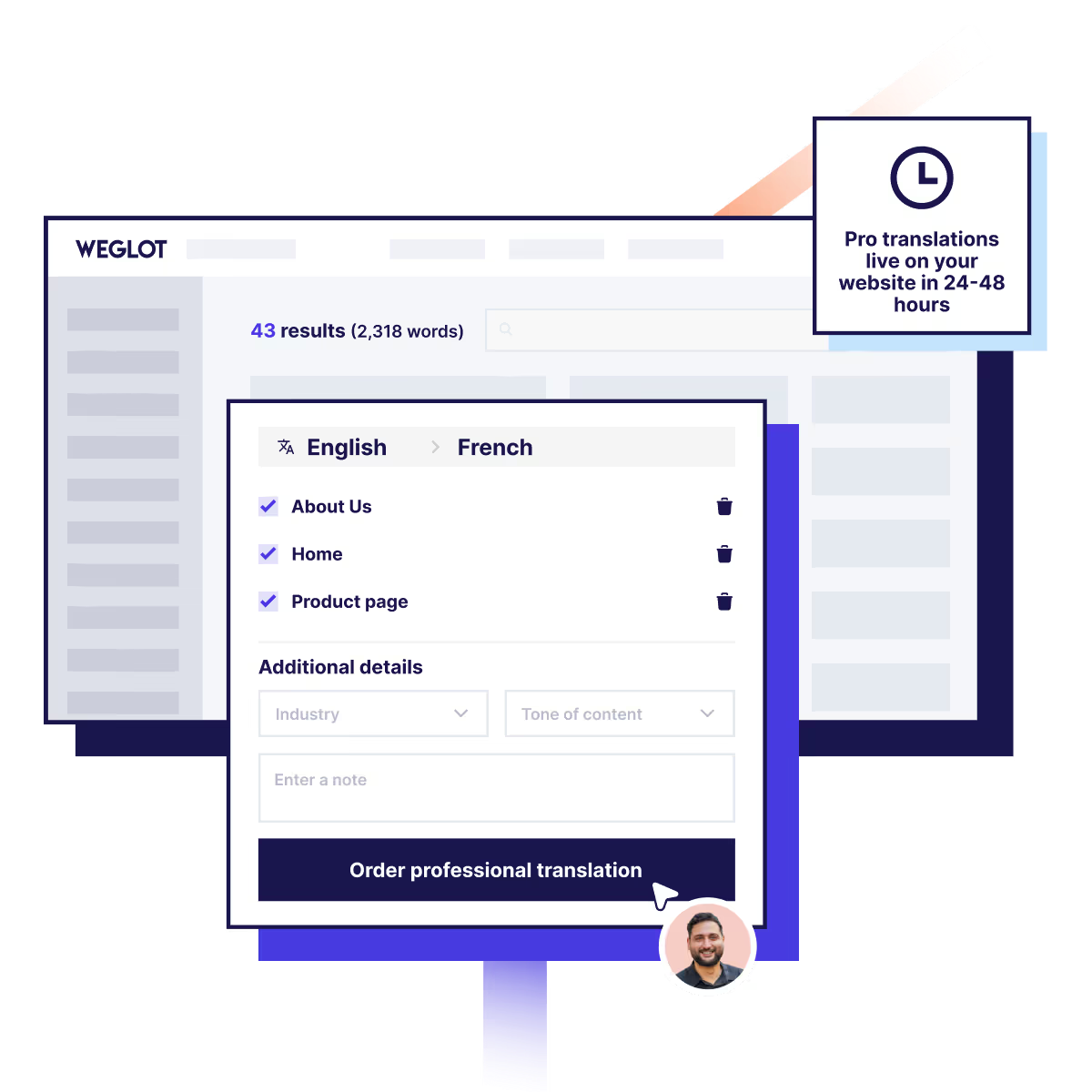
Simply select a text and order a professional revision or translation
Moreover, if you have your own team, you can give them access to the project, as well as editing rights. For more on these features read the following Weglot article.
Supports more than 110 languages
You can translate your website into more than 110 languages, both popular (e.g. English, Spanish, German, and French) and rare, with character, writing direction, and localization support.
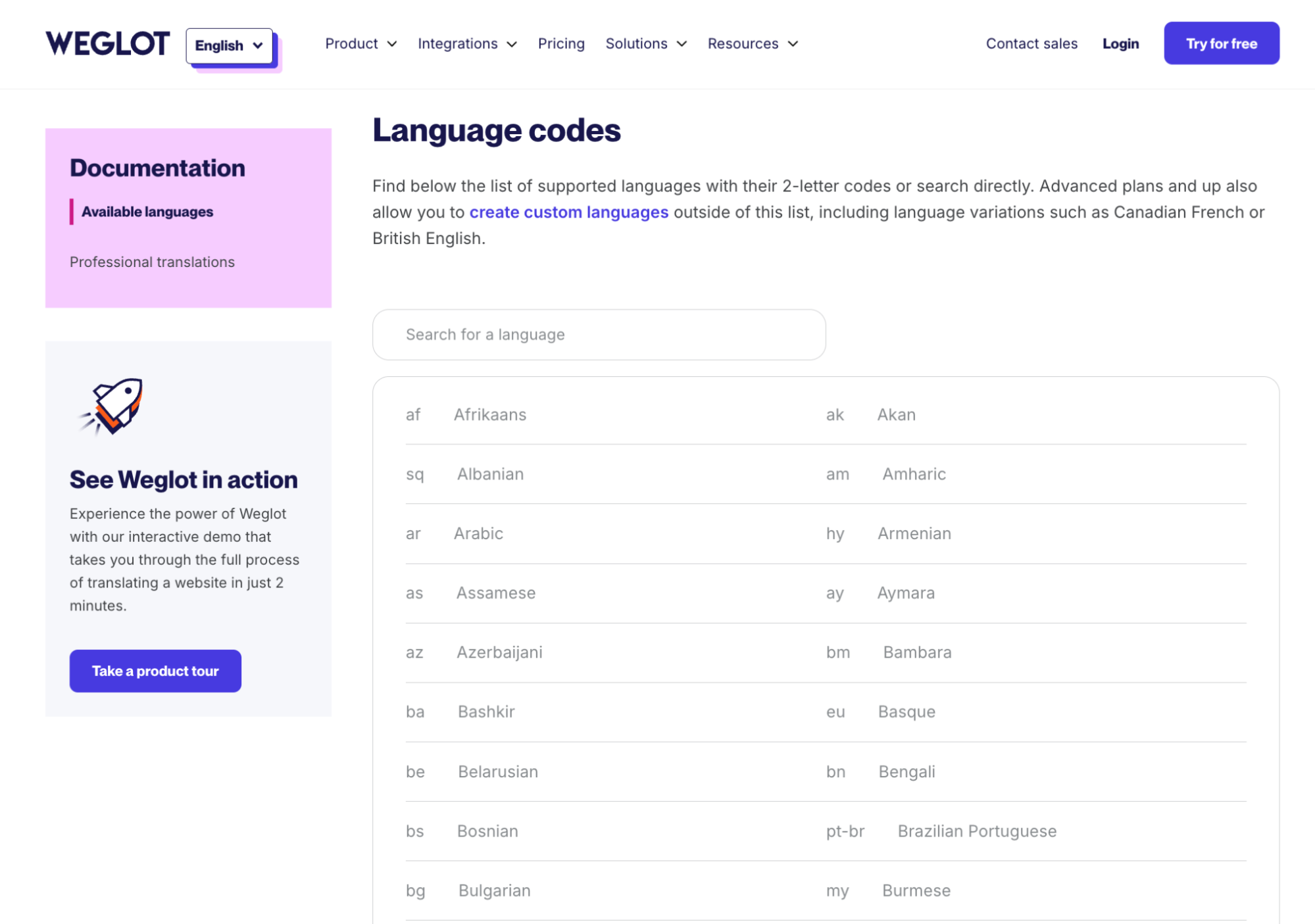
Some of the languages supported. For the full list see here
Search engine optimization (SEO)
Weglot takes search engine optimization into account in its translations: a page gets its own subdomain or subdirectory in each translated language; hreflang tags are used and meta tags are translated. This helps expand organic presence in global searches.


Adaptation of website for SEO
Weglot translates pages on the server. In other words, the site content is translated before being sent to the visitor’s browser. Server-side translation follows Google guidelines by allowing Google robots to detect and index the translation directly in the source code.
Customizable language switch
You can style the language switch widget to fit your website. Options for positioning, color, and shape ensure it blends seamlessly into the design.

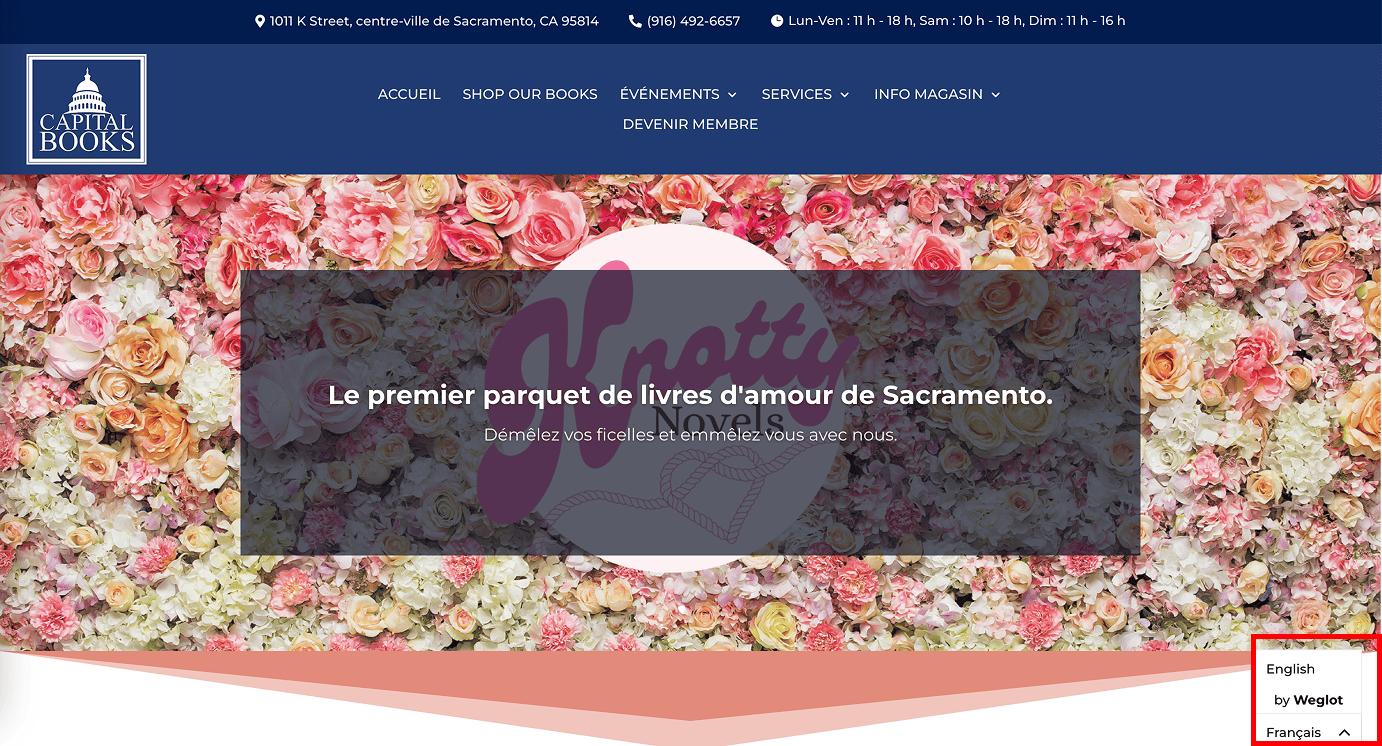
Translation of site from English to French, with switch in bottom corner
Teamwork
Multiple users can work on the same project. You can give content managers, marketers, or translators access to text editing.
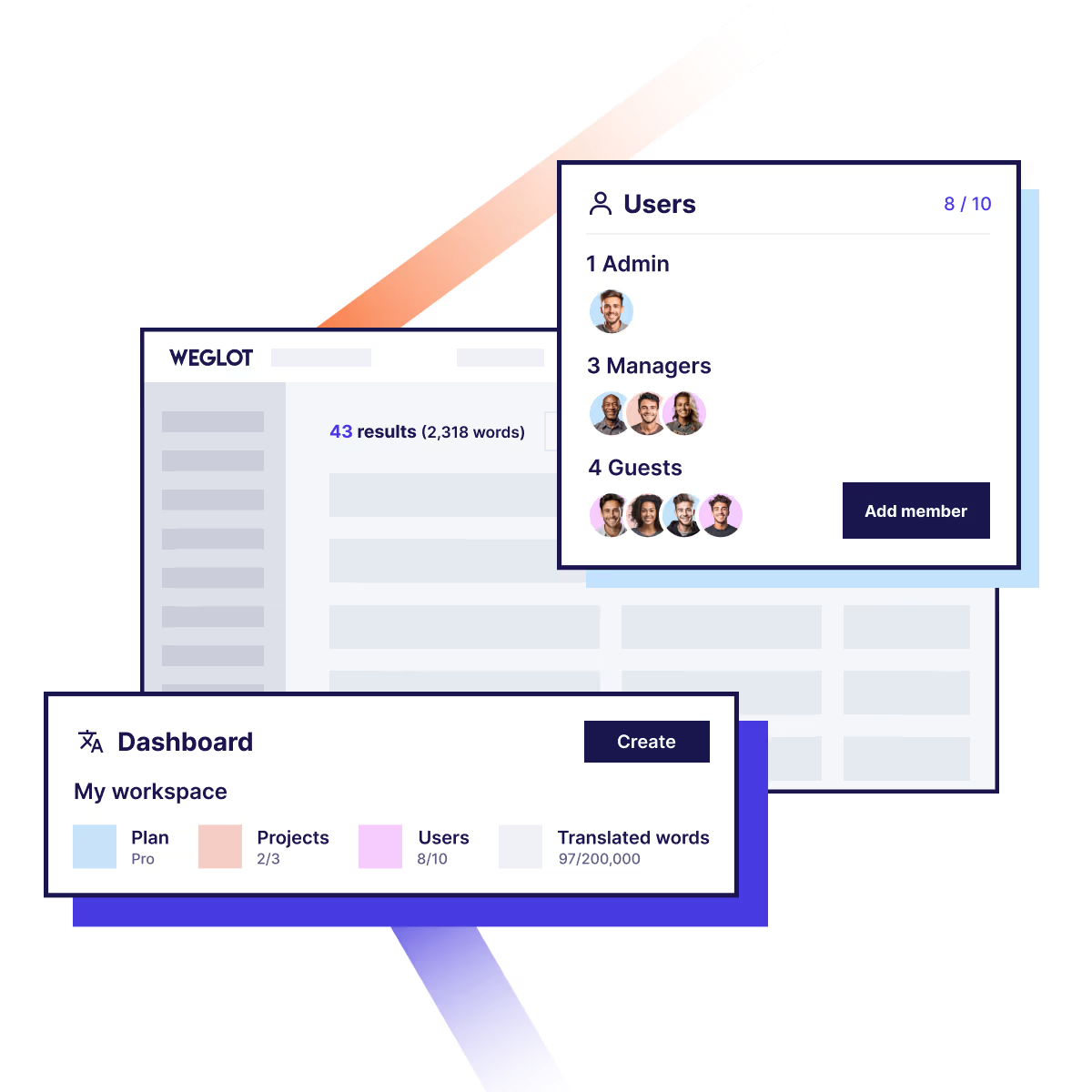
Teamwork in Weglot
Visual editor
With the visual editor, you see the translation right in front of you on the site. One of many useful features, the visual editor allows you to customize interface elements, buttons, and headers, and improve the quality of user experience.
Watch this video about the visual editor
Content search
The tool allows you to quickly find text fragments you want to edit or replace. This is especially useful for major edits on multi-page websites.
Why should content creators use Weglot?
Today’s content creators—whether bloggers, media, websites, educational portals, etc.—increasingly reach a global audience. However, launching a multilingual website often requires technical expertise, time, and resources. Weglot simplifies this process and allows you to scale your project quickly and cost-effectively.
Scale without unnecessary complexity
With Weglot, creators can roll out a translated site in hours instead of weeks. No need to get bogged down in complex layouts, set up subdomains manually, or find separate developers—everything works straight from the box.
Our service auto-translates all texts, including menus, headers, product cards, articles, and interface elements, while preserving the site’s structure and style.
Increased engagement and trust
When users see a familiar language, they engage more quickly with the site. This has a direct impact on behavioral factors and helps increase conversion rates, as in the case of L’Équipe Créative.
Translated text looks high quality, thanks to auto-correction and the manual editing option. Weglot also helps your site:
- Reach more users by supporting more than 110 languages.
- Improve search engine optimization through hreflang tags, indexed pages, and access to local search renditions.
- Increase audience trust thanks to clear and customized texts.
Quickly test hypotheses and launch in new markets
The key to success is frequent experimentation. That’s why creators regularly launch new headings, offers, and formats. With Weglot, you can quickly translate key pages, test a hypothesis in a new language, and gauge local audience reaction, all without wasting development time.
This is especially important if you’re working in a dynamic niche and need to test proposals and adapt them to different markets.
Quality solution for global teams
Visual editor, change history, ability to edit in context—all of these features make Weglot the perfect tool for teamwork. Copywriters, editors, and translators can easily manage a translation without the risk of harming the site’s structure. Team members can also search for content, which speeds up navigation through large amounts of text.
Quickly customize and roll out the translation
Weglot allows you to roll out a multilingual website within minutes. No code changes or developers required—translate is activated automatically and integrates into your site. This saves weeks of technical training and gives you fast access to a global audience.
SEO support and technical optimization
Our service automatically creates SEO-optimized translated pages with correct URLs (e.g., site.com/fr/) and all necessary hreflang tags. This ensures the site is ranked in search in the right language, increases organic traffic, and improves global presence.
Examples of how Weglot works in practice and what to expect within a few months
Over 110 thousand sites use Weglot. For information on all customers see here. Our customer stories tell us that after a few months of using the service, users can achieve the following results:
- Increased traffic thanks to global search engine optimization— Software provider respond.io added 15 languages to its site, after which its traffic doubled.
- Increased coverage—Non-profit organization Know Your Lemons was able to reach 99 new countries after localizing its site.
- Increase profits and conversions in regions with a new language— Retailer Volant increased its international revenue by 39% after localizing its website with Weglot.
When not to use Weglot to translate your site
Weglot is an ideal solution for the machine and professional translation of websites, especially if you aim for a global presence and multilingual audience. However, in certain cases it may not be the best solution:
- You only need to translate a few of landing pages
If you work with a limited amount of text—e.g., two or three static pages with no SEO tasks and no plans for expansion—Weglot may not be the best solution.
Weglot focuses on the development of fully multilingual sites, rather than the spot translation of individual landing pages. In such cases, it may be better to use manual translate or the site editor’s built-in implements.
- You have a limited budget and change content frequently
If you publish new articles or update offers and words on your site every day, but aren’t ready to invest in automation, Weglot may prove expensive.
Although our service offers a free plan with restricted features, full site localization with frequent updates requires a subscription.
With a minimal budget and high dynamics, it’s easier to use temporary solutions, even if they don’t provide quality translation and search engine optimization.
- Translation into specific languages or dialects
Weglot supports more than 110 languages, including most major European and Asian languages. However, if you work with extremely rare or regional dialects not included on the list—e.g., Creole, dying, or artificial languages—Weglot may not be for you.
Our service relies on machine CAT tools (DeepL, Google Translate, and Microsoft), and translation won’t be possible for language not supported by these systems.
How to set up and use Weglot
Step 1. Create a project for your website
Sign up for Weglot—you can sign in using Google. Specify your goals and your role—website owner, translation agency, etc.
Specify the website URL and platform (e.g., WordPress or Webflow), then create the project.
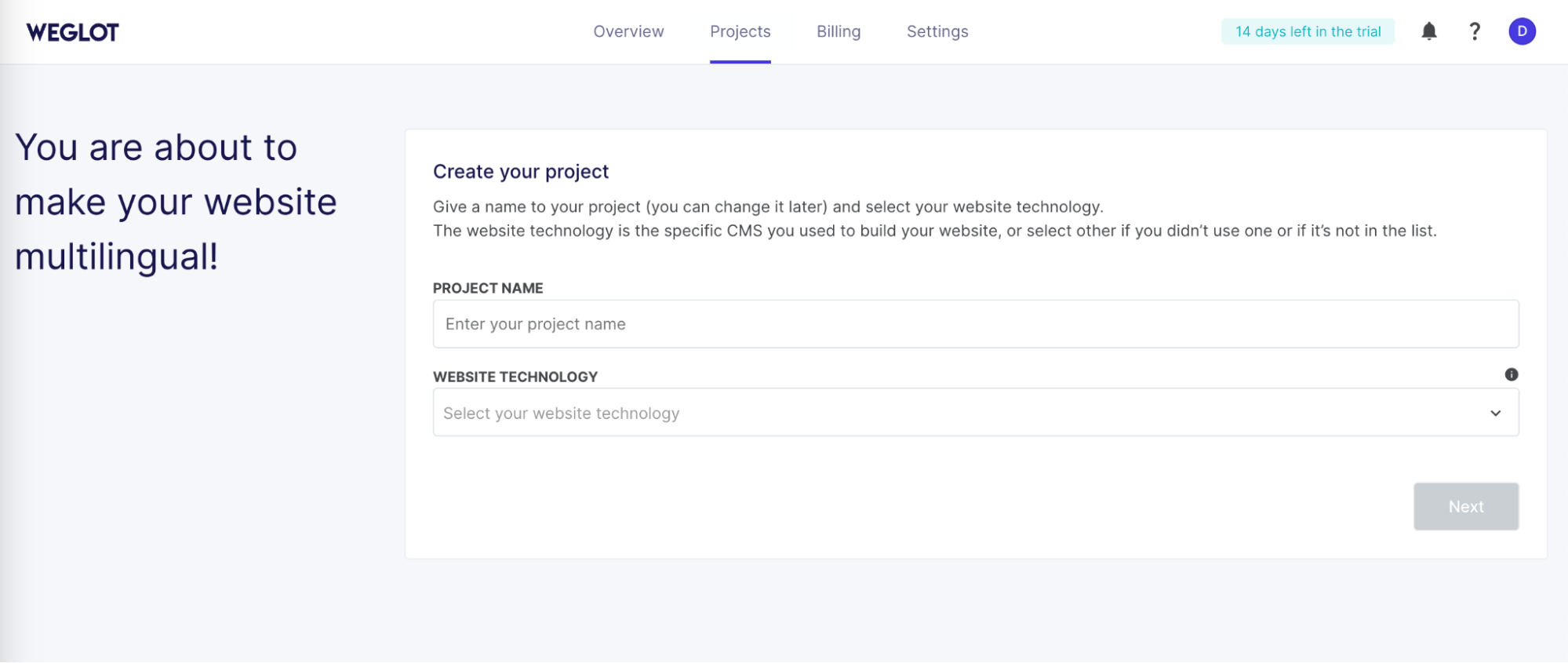
Set up the project
Step 2. Select the language(s) you want to translate the website into
Set the original site language and add target languages you want to translate your texts into. You can select over 110 languages.
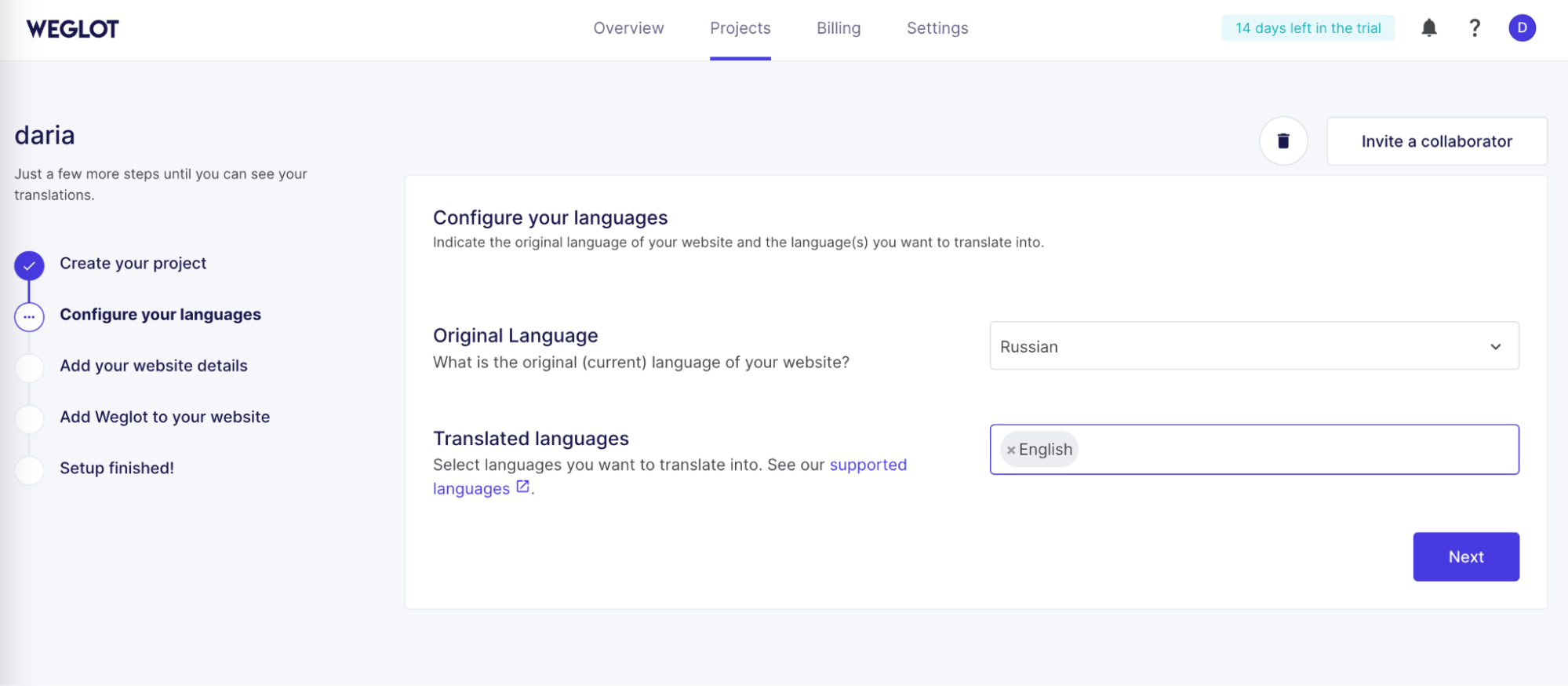
Select language pairs
Step 3. Review and edit translations
Following automatic translation, you can improve the content manually with the Weglot editor or seek professional help. You can also use the visual editor to make edits directly on the page.
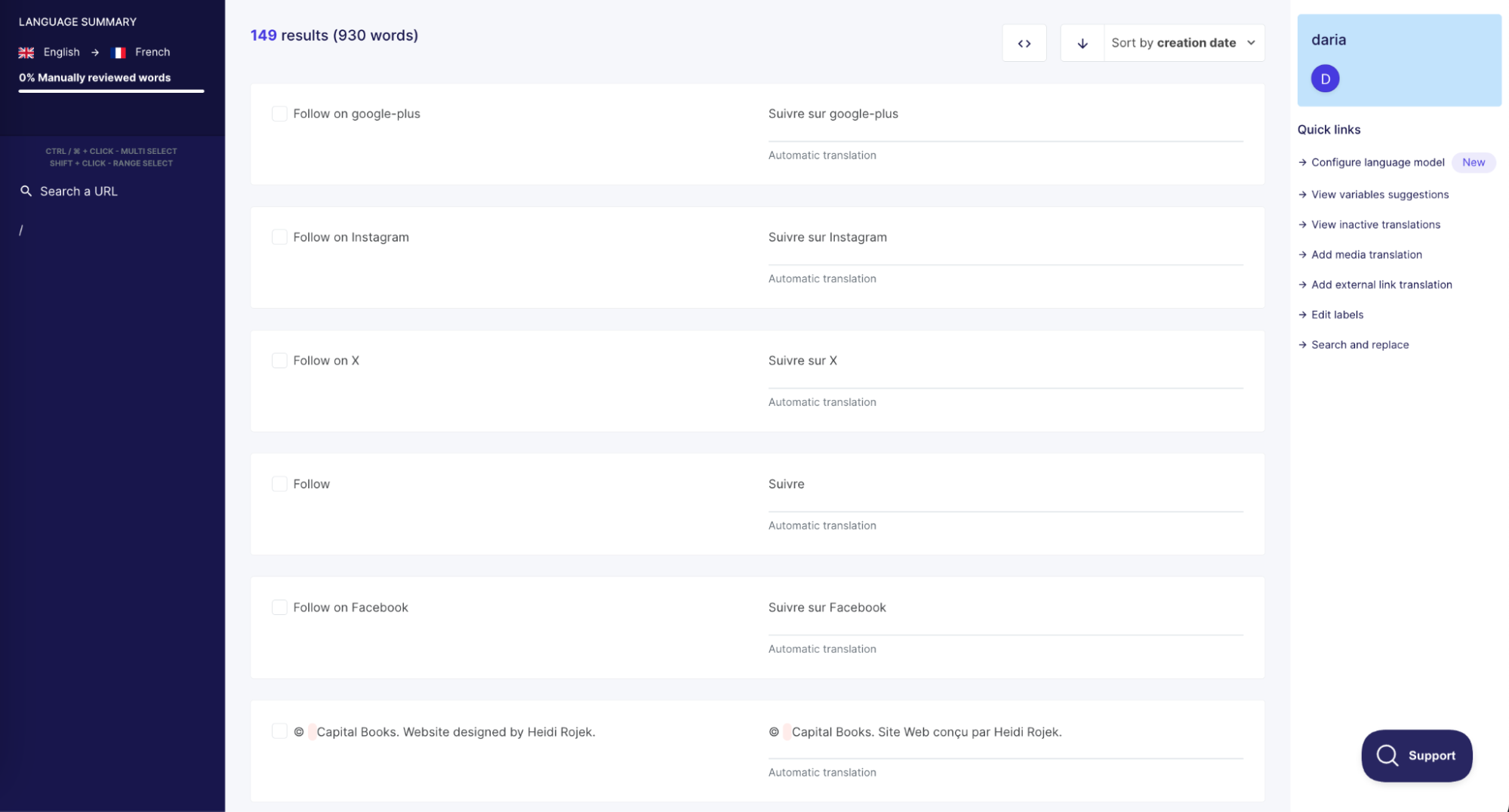
Edit text inside Weglot
How much does Weglot cost
Weglot offers a free plan with a limit of 2,000 words and one additional language. Paid plans start at €15 per month and vary depending on the amount of content and the number of languages. The more words and translations, the higher the cost.
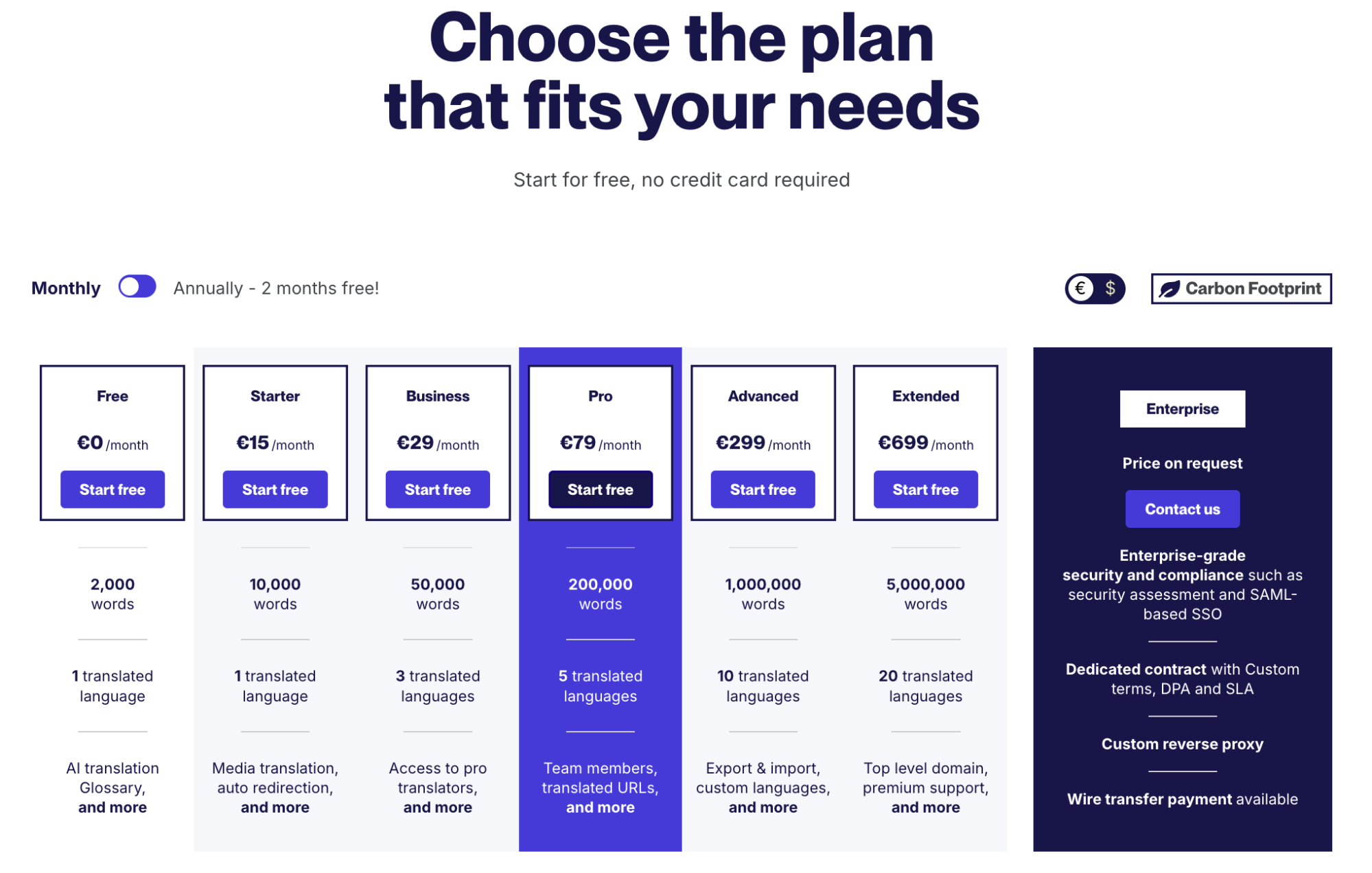
Weglot plans
Weglot offers a free 14-day trial period. For more information on plan prices see here. Before choosing a plan and paying for it, try out the interactive demo. You can also use Weglot to calculate the approximate number of wordson your site and get an estimate of the cost.
If you need professional help with localization, adaptation, or translation of content for your multilingual website, get in touch with INLINGO. Whether it’s a website, game, or any other project, we’ll find a quality solution for your task and help increase your global presence!